Remini for iOS Restore Photos on iPhone & iPad
Download Remini from the official App Store, check iOS compatibility and follow a clean workflow for enhancing old, blurry and low-resolution photos.
What is Remini for iOS?
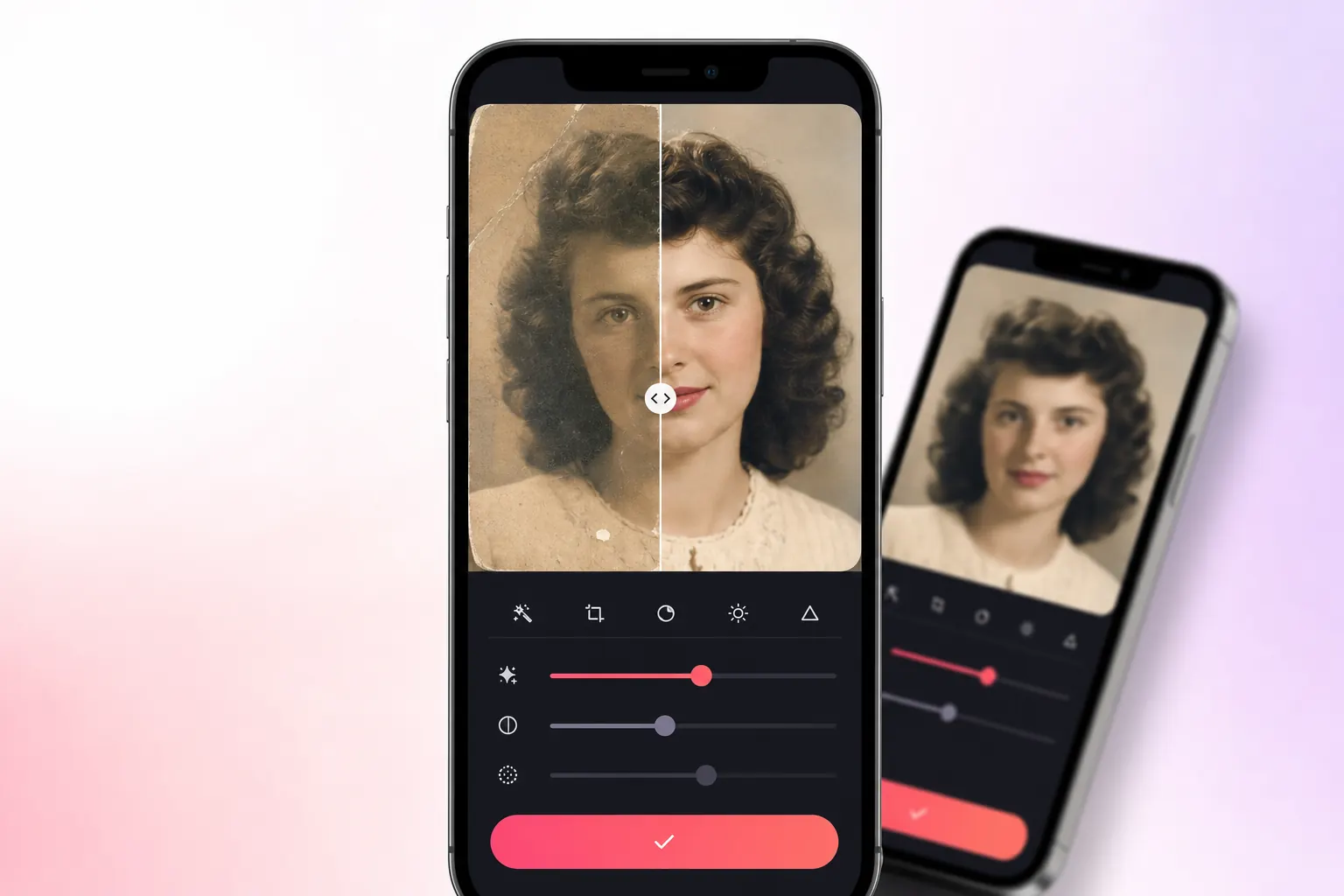
Remini for iOS is the official iPhone and iPad version of the AI photo enhancer. It is designed to improve old family photographs, soft portraits, compressed social images and other pictures that need more visible detail.
The workflow is simple: select a photo, choose an available enhancement, compare the before-and-after result and save the finished image. Available tools, free limits and subscription options can change with app updates and region.
APK files are made for Android and cannot be installed on iPhone. iOS users should use the official Apple App Store listing.
iPhone and iPad requirements
Compatibility and download size can change with new releases. Check the App Store listing on your exact device before installation, especially on an older iPhone or iPad.
Get Remini on the App Store
Use Apple’s official listing for the current iPhone and iPad version, update history, privacy details and subscription information.
Download Remini on App Store ↗How to install Remini on iPhone
Open the App Store
Launch Apple’s App Store and make sure you are signed in with your Apple ID.
Open the Remini listing
Use the download button above or search for “Remini – AI Photo Enhancer” and confirm the developer.
Review details and privacy
Check compatibility, in-app purchase information, privacy labels and recent update notes.
Download the app
Tap Get, then confirm installation with Face ID, Touch ID or your Apple ID password.
Choose photo access carefully
Where available, allow access only to selected photos instead of your complete library.
Popular Remini iOS features
Enhance soft portraits
Recover visible facial detail in suitable blurred or compressed images.
Restore old photos
Improve faded scans and family memories while keeping the original file safe.
Before & after review
Compare changes closely before exporting the enhanced result to Photos.
AI portrait tools
Explore the AI generation and portrait features available in the current release.
Tips for cleaner photo enhancement
Use the best source
Start with the highest-resolution scan or original photograph available.
Keep originals
Work on duplicates so the unedited photograph remains untouched.
Check faces closely
AI may invent details, so zoom in and compare important facial features.
Avoid over-processing
A natural result is often better than maximum sharpness on every image.
No APK is needed on iPhone
iOS uses App Store applications, not Android APK files. Avoid unknown configuration profiles or downloads claiming to be a Remini APK for iPhone.
Why Remini for iOS stands out
Remini for iPhone and iPad combines a simple mobile workflow with AI-assisted restoration. It is designed for people who want to improve a portrait without learning a traditional desktop editor. You choose a photo, select an available enhancement, review the before-and-after result and save a new copy.
Old photo restoration
Improve faded portraits and family photographs while keeping the original safely stored in Photos or iCloud.
Portrait enhancement
Bring more definition to soft faces, eyes and hair. Always zoom in because AI-generated details can occasionally look artificial.
Before-and-after review
Compare the source with the processed version before exporting. This helps you avoid an edit that is sharper but less natural.
Apple sharing workflow
Save the result to Photos, Files or a shared album and continue editing in another app when you need cropping, colour or text.
What to expect from the iOS version
The App Store version may provide limited free processing, advertisements, a trial or paid subscription options. Exact limits and prices can change, so review the current App Store listing and the purchase confirmation shown on your device. A subscription should only be confirmed when the billing period and renewal terms are clear.
| Area | Free access | Paid access |
|---|---|---|
| Enhancements | May be limited by credits or daily use | Usually provides broader or higher usage limits |
| Advertising | May appear during the workflow | Often reduced or removed depending on the plan |
| Processing options | Core tools may be available | Additional models or export options may be included |
| Billing | No recurring charge unless a trial is accepted | Renews according to the selected App Store plan |
APK files are made for Android. An APK labelled for iOS is not a normal iPhone installation package. Use the App Store and do not install unknown configuration profiles claiming to unlock Remini.
Use photo permissions carefully
When iOS asks for access to your photo library, choose limited access if you only need to enhance selected images. You can review or change this permission later in Settings. Avoid uploading identity documents, private medical images or confidential work files to any cloud editing service unless you understand its current privacy terms.
Select only the photos you need
Limited Photos access reduces unnecessary exposure and keeps the workflow easier to review.
Keep the original file
Save enhancements as new copies. Do not overwrite the only version of a family photograph.
Review subscription settings
Open Settings, tap your Apple Account and select Subscriptions to view, change or cancel an active plan.
Common Remini iPhone problems
Remini closes while processing a photo
Update iOS and the app, restart the device, close unused apps and try a smaller copy. Make sure the iPhone has enough free storage for a new export.
The enhancement stays on a loading screen
Switch to a stable Wi-Fi connection, disable a problematic VPN temporarily and check whether the official service is available. Cloud processing cannot finish without a reliable connection.
The result looks too smooth
Compare with the original and use a lighter option when available. Extremely compressed selfies and tiny faces can produce invented detail.
A free trial changed into a paid subscription
Review the subscription under your Apple Account. Apple displays the active billing period and provides the cancellation controls for App Store subscriptions.
The app cannot see a selected photo
Open iOS Settings, find Remini, review Photos access and add the required image to the permitted selection.
Remini iOS FAQs
Is Remini available for iPhone?
Yes. Use the official App Store listing and check compatibility on your device before downloading.
Why can’t I install a Remini APK on iOS?
APK is an Android package format. Apple devices require iOS-compatible applications.
Does photo enhancement require internet?
AI processing commonly relies on online services, so a stable connection is recommended.
How can I protect photo privacy?
Review Apple privacy labels, use selected-photo access where possible and avoid uploading highly sensitive images.